Aller au contenu
View in the app

A better way to browse. Learn more.

Omerta

A full-screen app on your home screen with push notifications, badges and more.

To install this app on iOS and iPadOS
  1. Tap the Share icon in Safari
  2. Scroll the menu and tap Add to Home Screen.
  3. Tap Add in the top-right corner.
To install this app on Android
  1. Tap the 3-dot menu (⋮) in the top-right corner of the browser.
  2. Tap Add to Home screen or Install app.
  3. Confirm by tapping Install.

[SNAPCHAT] Envoyez des photos/vidéos de votre pellicule en snap rouge/violet.
Featured Replies

Posté(e)
Reply to this topic to unlock hidden content.

Modifié par Wazo

Posté(e)

Je vais test merci


Edit: Vooch un peu chiant les pubs sur l'app par contre:cheerleadersmileygirl:

Modifié par Fan2Bassem69

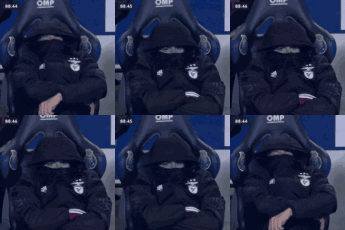
Moi en train de lire vos posts gênant

Sans titre.png

Posté(e)
  • Auteur
Il y a 13 heures, Fan2Bassem69 a dit :

Je vais test merci


Edit: Vooch un peu chiant les pubs sur l'app par contre:cheerleadersmileygirl:

Si t'as un iphone jailbreak installe LocallApStore sur cydia tu pourras acheté l'anti pub gratuitement

  • 2 semaines après...
Posté(e)

merci pour le partage

Posté(e)

Ca fonctionne niquel merci bcp

  • 3 mois après...
Posté(e)

Monstrueux , je test on verra si ça fonctionne 

  • 3 semaines après...
  • 1 mois après...
Posté(e)

Merci tu gère continue comme bandit aller aplus

  • 2 mois après...
Posté(e)

Go tester merci

  • 2 semaines après...
Posté(e)

Voyons ça alles

  • 1 mois après...
Posté(e)

Reply to this thread or purchase the Prime to view hidden content.

  • 3 semaines après...
Posté(e)

Djdjdjd besoin de vite 

Posté(e)

Ahhh Djdjdjd besoin de vite 

Posté(e)

Ça marche encore j’espère 

  • 1 mois après...
  • 2 mois après...
  • 4 semaines après...
Posté(e)

A. Oue bien bien A oue b1

  • 2 mois après...

Créer un compte ou se connecter pour commenter

Account

Navigation

Rechercher

Rechercher

Configure browser push notifications

Chrome (Android)
  1. Tap the lock icon next to the address bar.
  2. Tap Permissions → Notifications.
  3. Adjust your preference.
Chrome (Desktop)
  1. Click the padlock icon in the address bar.
  2. Select Site settings.
  3. Find Notifications and adjust your preference.
