
Vertex
Prime
-
Inscription
-
Dernière visite
Tout ce qui a été posté par Vertex
-
Si tu veux gagner de l'argent avec l'achat / revente, viens discord : https://discord.gg/Nzrm4rjxC4
-
Si tu veux gagner de l'argent avec l'achat / revente, viens discord : https://discord.gg/Nzrm4rjxC4
-
Bonjour, moi et mon collègue avons ouvert récemment un serveur pour refund vos commandes Deliveroo ! Je t'invite à venir sur le discord : https://discord.gg/3WJfdgZsCN
-
Bonjour, après expérience de quelques mois je peux enfin sortir cette formation qui vous donneras toutes les clés ainsi que tout les liens fournisseurs et j'en passe ! Prix de la formation : 50€ Ne dormez plus les gars et faites vous de l'oseille facilement sans trop se fouler ! Si tu veux + d'informations contacte moi sur discord : Vertex#0880
-
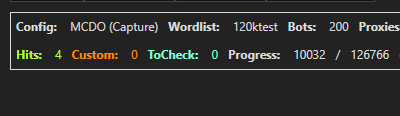
Bonsoir, je vend une toute nouvelle config pour faire des comptes mcdo ! Prix : 50€ ! Limité à 3 personnes pour éviter le leak Mon discord : Vertex#0880
-
Yo la team je suis seller de nitro et il me reste 1 nitro boost en stock je le vend 5.50€ au lieux de 6€ premier arriver, premier servi ! Discord : Vertex#0880
-
Bonjour je vous partage une petite technique pour avoir des caleçon tester et approuvé ! [hide]https://cdn.discordapp.com/attachments/871163477660680202/875761277161578536/Tech_Calecon_Illimite.png [/hide]